At a glance
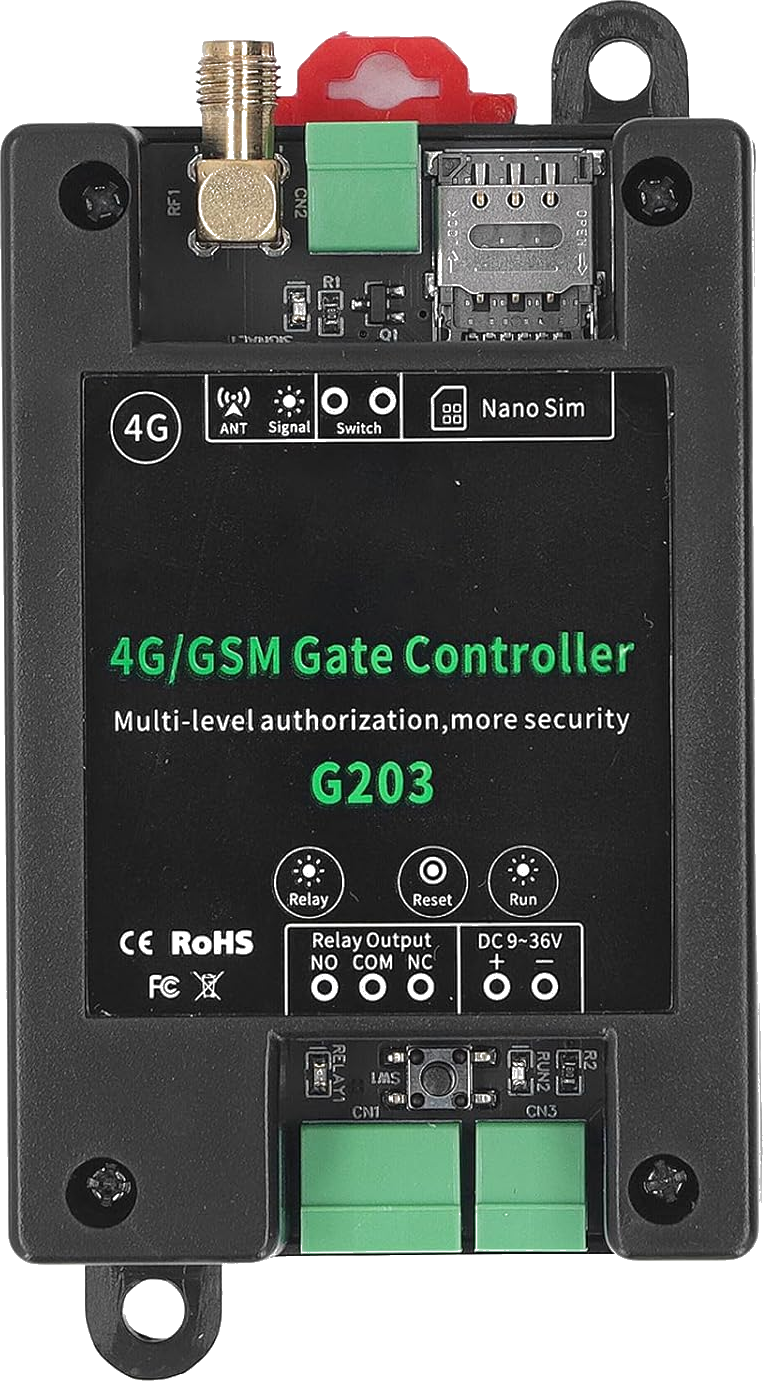
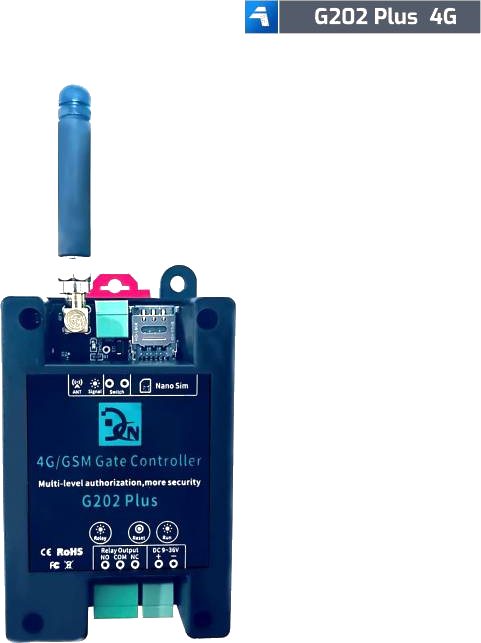
The Callny G202 PLUS is the second-most common GSM gate opener after the RTU5024 family. Manufactured by Callny (also sold as Daniu, LPSECURITY, and G203 in some regions), it uses a different SMS protocol with a six-digit default password (123456) and supports up to 999 authorized users.
Last reviewed:
What the G202 PLUS is
The Callny G202 PLUS is a single-relay GSM gate controller built around the Callny SMS protocol family. It is the second most-popular module on the market after the RTU5024, accounting for roughly 15-20% of installations worldwide.
The same hardware is rebranded and sold under several names: G202 PLUS, G203 (typically with two relays), Daniu, and LPSECURITY. Default password is 123456 (six digits, numeric), and the command syntax is incompatible with the RTU5024 — Callny commands are prefixed with #PWD{password}# and use different keywords.
If you bought a GSM gate module that does not respond to the RTU5024 password 1234 or the {pwd}A{slot}# add-user syntax, try #PWD123456#STATUS? — if you get a status reply, you have a Callny.
How it works
Operationally similar to the RTU5024: authorized phones call the SIM number, the modem detects the caller ID, pulses the relay, and hangs up. The differences are entirely in the configuration SMS syntax.
Callny commands are case-sensitive and use the format #PWD{pwd}#{command}{arguments}. For example, #PWD123456#WHL001=+31612345678 adds user 001. Phone numbers must be specified without the leading plus sign or country code in some firmware variants — check the manual for your specific unit.
The G202 PLUS firmware also includes a few features the RTU5024 lacks, including time-window access (allow phone X to open only between 09:00 and 17:00 on weekdays) and per-user open counters.
What's in the box
- Callny G202 PLUS main unit
- GSM/4G antenna
- DC power pigtail (12V)
- Wiring diagram (multilingual)
Quickstart setup
A 15-minute walkthrough to get the G202 PLUS from boxed to working. For the full guide with example SMS responses and error handling, see the G202 PLUS setup guide.
- Insert a SIM with PIN disabled. Standard or micro SIM depending on the unit version.
- Power up. Connect 12V DC. Wait for the indicator LEDs to stabilize.
- Change the default password 123456. Send #PWD123456#NEWPWD={new-password} — six digits, numeric.
- Add the first user. Send #PWD{newpwd}#WHL001={phone-without-plus}.
- Wire the relay to your gate motor's manual-open input. Dry-contact pulse, identical to the RTU5024.
- Test. Call the SIM from the authorized number. Relay pulses; call ends within 1-2 seconds.
Common issues and fixes
Command returns no response
The most common cause is forgetting the #PWD prefix. All Callny commands must start with #PWD{password}# — without it the firmware silently ignores the SMS.
Caller ID detected but relay does not pulse
Check that the user slot you added is enabled. Some firmware versions add users in a 'disabled' state — send #PWD{pwd}#WHL{slot}=1 to enable.
Phone number format rejected
Some Callny firmware accepts only the local-format number (no + and no country code). Try both formats: with country code (+31612345678) and without (612345678).
Hitting a problem not listed here? The full troubleshooting guide covers the seven most common failure modes in detail.
Frequently asked questions
What is the default password for the G202 PLUS?
How many authorized phone numbers can the G202 PLUS store?
Does the G202 PLUS need a SIM card?
What manufacturers sell the G202 PLUS?
Can I use the G202 PLUS with the GateOpener app?
Buying tips
- Confirm the listing explicitly says 'G202 PLUS' or 'G203' — older non-PLUS G202 units have a smaller user table and slower modem.
- Buy from a seller who provides the multilingual quick guide PDF. The factory English manual is poorly translated and the multilingual quick guide is the only readable reference.
- If you have a choice between G202 PLUS (single relay) and G203 (dual relay), pick based on need — not price. They are usually within €5 of each other.
Also sold as
Callny G202 PLUS, G203, Daniu G202, LPSECURITY G202 PLUS, and a handful of unbranded AliExpress listings. All use the Callny SMS protocol.