Last reviewed:
DoorHan GSM-3.0 user manual
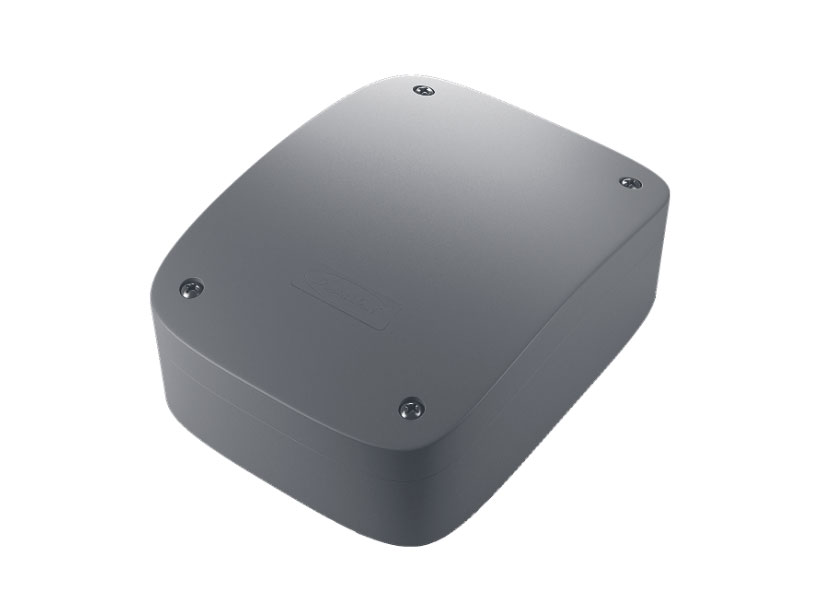
The DoorHan GSM-3.0 is a GSM control unit that starts an electric gate drive. You call its SIM from a stored number and the relay switches. The module makes no connection; the manual says this avoids call costs (page 2). This page gives its specifications and SMS commands, each with the page of the DoorHan manual it comes from.
Status in the GateOpener app: GSM-3.0 works in the iPhone app since version 1.2.0; Android gets it with the next release.
Download the manuals
The manufacturer's PDFs, as published:
- DoorHan GSM module user manual, © 2015PDF, Russian, 3.5 MB
- DoorHan GSM module user manual, 2.0 (2017)PDF, Russian, 0.6 MB
- DoorHan GSM-3.0 user manual, 09.2018PDF, Russian, 1.3 MB
- DoorHan GSM-4.0 user manual, 06.2022PDF, Russian, 0.8 MB
Specifications
| Item | Value and source |
|---|---|
| Default password | 1234, exactly 4 digits Source: GSM-3.0 manual 09.2018, pages 4 and 7 |
| Phone numbers stored | 3,500 Source: GSM-3.0 manual 09.2018, page 2 |
| Relay | 1 relay (COM, NO, NC), NO 7 A / NC 5 A at 250 V AC Source: GSM-3.0 manual 09.2018, pages 2 and 3 |
| Relay time at the factory | 1 second Source: GSM-3.0 manual 09.2018, page 4 |
| Power supply | 12/24 V AC/DC, at most 2 W Source: GSM-3.0 manual 09.2018, page 2 |
| Mobile network | 2G only: GSM 850/900/1800/1900 MHz Source: GSM-3.0 manual 09.2018, pages 2 and 7 |
| SIM card | Caller ID (CID) on, PIN check off Source: GSM-3.0 manual 09.2018, pages 3 and 7 |
| Operating temperature | -40 to +55 °C Source: GSM-3.0 manual 09.2018, page 2 |
| Dimensions | 63 x 90 x 25 mm Source: GSM-3.0 manual 09.2018, page 2 |
The module works only on 2G networks (manual page 7). It cannot work where the operator has switched 2G off.
It can also be set up from a Windows PC with DoorHan's GSMSoft program over USB (manual pages 4 and 5).
The other three PDFs are for other DoorHan GSM blocks: an older block (2012/2015), GSM-2.0 and GSM-4.0. Their commands are not the same as the list below.
SMS commands from the manual
Send one command per SMS, in the form COMMAND,password,data: commas, no spaces (manual pages 6 and 7). Replace 1234 with your password.
Write phone numbers with a leading + (the manual's examples use +7), digits only, at most 18 characters (manual pages 6 and 7).
The 2018 manual (firmware 3.0) describes no reply SMS. SEC and SMA work only on firmware 3.2. With SMA on, the module answers each accepted command with SMS ACCEPTED OK! (dealer copy of the firmware 3.2 manual).
Write number to a cell
Store a phone number in cell 1-3500. Several cell=number pairs may follow, comma separated, within one SMS.
SAV,{pwd},{slot}={phone}SAV,1234,10=+7XXXXXXXXXXAdd number to the first free cell
Store a phone number in the first free cell. Several numbers may follow, comma separated.
ADD,{pwd},{phone}ADD,1234,+7XXXXXXXXXXDelete number
Delete a number from the list, by number (not by cell). Every duplicate of the number is deleted.
DEL,{pwd},{phone}DEL,1234,+7XXXXXXXXXXDelete all numbers
Delete every number from the list.
DEL,{pwd},ALLDEL,1234,ALLChange password
Change the SMS password. The new password must be exactly 4 digits.
PAS,{pwd},{newpwd}PAS,1234,1111Relay time
Set how long the relay stays on, in seconds, 0-65000. 0 means toggle mode (on-off-on per call). Factory value 1 s.
TIM,{pwd},{seconds}TIM,1234,2Trigger on 2nd ring
Y: the relay switches on the 2nd ring, which stops false triggers from operator auto-dial calls. N: off. Firmware 3.2 only; 3.0 and 3.1 ignore it.
SEC,{pwd},{Y|N}SEC,1234,YSMS confirmation
Y: every accepted SMS command is answered with SMS ACCEPTED OK! (the module SIM pays for each reply). N: off. Firmware 3.2 only; 3.0 and 3.1 ignore it.
SMA,{pwd},{Y|N}SMA,1234,YModules the app supports
The modules the app works with are on the supported hardware page. Their manuals are on the manuals page.